Quiet Corner Map
This is a UI Mockups AI image prompt case, leaning toward UI, Infographic. Copy the full prompt below and paste it into a free GPT image generator to create your own image with GPT Image-2 — swap the subject, brand, or aspect ratio as needed.
English full prompt
Design the 16:9 “Quiet Corner Map” collaboration relay board around one job: “追踪安静席位.” Structure the information as an object list on the left beside a persistent detail pane, moving from pending objects to evidence and then to the final action so overview, detail, and receipt stay connected. Write 「安静席位 48」「待复核 4」「完成率 89%」 in the data region so totals, pending work, and completion can be reconciled. Show “安静席位 48 / 新提交”“安静席位 51 / 协作中”“安静席位 54 / 完成核验” as three primary records, keeping evidence thumbnails and owners distinct. Selecting the second row reveals old value, new value, collection method, and explanation. After “追踪安静席位” succeeds, show operator and time; on failure, preserve input and focus the missing field. Connection failure pauses synchronization without removing field content. On return, compare author and time. A blank list explains how to add a 安静席位. Give the tool a mature tone through cream, burgundy, and pale pink, clear Simplified Chinese sans-serif type, and tabular numerals and high-contrast Chinese body text. Label icons and move keyboard focus through filter, list, detail, and action. Remove brands, real accounts, locations, and 3D badges. Do not show design software, annotation boards, or phone mockups. Connect the updated count directly to the changed object for “Quiet Corner Map” after the operator chooses the action “追踪安静席位”. The empty state offers one relevant first action and a short example tied to this service. Show a seat card with a twenty-minute reservation, ambient-noise indicator, nearby power availability, and a quiet-mode reminder. If occupancy changes while the detail pane is open, update that seat only and announce the change without moving keyboard focus. Final art direction: original product interface design with clear hierarchy and credible interaction states. Use this controlled palette as the dominant visual system: #172B3A, #E8F0EE, #6DA58D, #D79A46; preserve believable local material colors within it. Preserve the requested text hierarchy and wording as part of the design, but do not invent extra slogans, pseudo-text, logos, or watermarks. Keep one unmistakable primary subject or information route and one readable visual action. Use disciplined negative space and avoid default perfect symmetry. Physical credibility is mandatory: correct gravity, contact shadows, material thickness, tool weight, joint loading, fabric tension, liquid direction, reflections, scale, and occlusion. Create an original visual with no resemblance to a public figure, copyrighted character, existing campaign, or living artist signature style. No unrelated decorative icons, floating objects, duplicated limbs, plastic gloss, waxy skin, synthetic collage artifacts, or AI watermarks. Return exactly one finished image composed for 16:9; no variants, process sheet, split panels, mockup frame, or contact sheet.
中文完整提示词
把「校园安静角」设计成 16:9 的协作接力看板,首要工作是“追踪安静席位”。信息结构使用左侧对象列表与右侧固定详情并置,避免概览、详情和回执彼此割裂。数据区写出「安静席位 48」「待复核 4」「完成率 89%」,总数、待办和完成情况能够互相核对。主区域出现“安静席位 48/新提交”“安静席位 51/协作中”“安静席位 54/完成核验”三条记录,证据缩略图与负责人分别可见。选中第二行后展开原值、新值、采集方式和说明;“追踪安静席位”成功时显示操作者与时间,失败时保留输入并聚焦缺项。连接失败只暂停同步,不移除现场内容;重连后比较时间和作者。空白清单提供新增安静席位的方法及待复核入口。以奶油、酒红与浅粉呈现成熟工具感,中文正文保持高对比。状态图标旁写清含义,键盘焦点沿筛选、列表、详情、操作移动,便于执行“追踪安静席位”。移除品牌、真实账号、地点和拟物 3D 徽章,保持「校园安静角」的工具属性;不要显示设计软件、注释板或手机样机。
Related cases
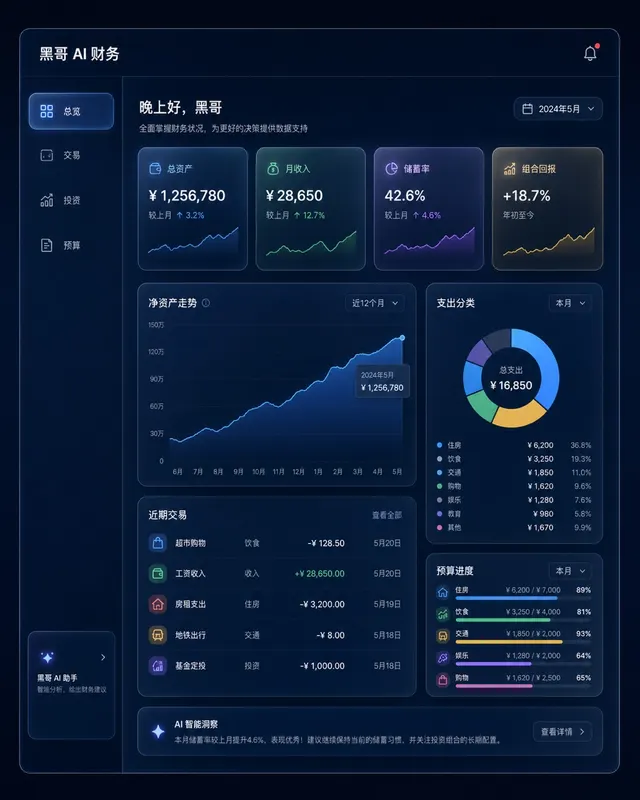
Dark Finance Dashboard Glassmorphism
A pixel-perfect desktop web app mockup of a personal finance dashboard rendered in glassmorphism style. The layout uses a dark navy background (#0D1117) with frosted-glass panels…
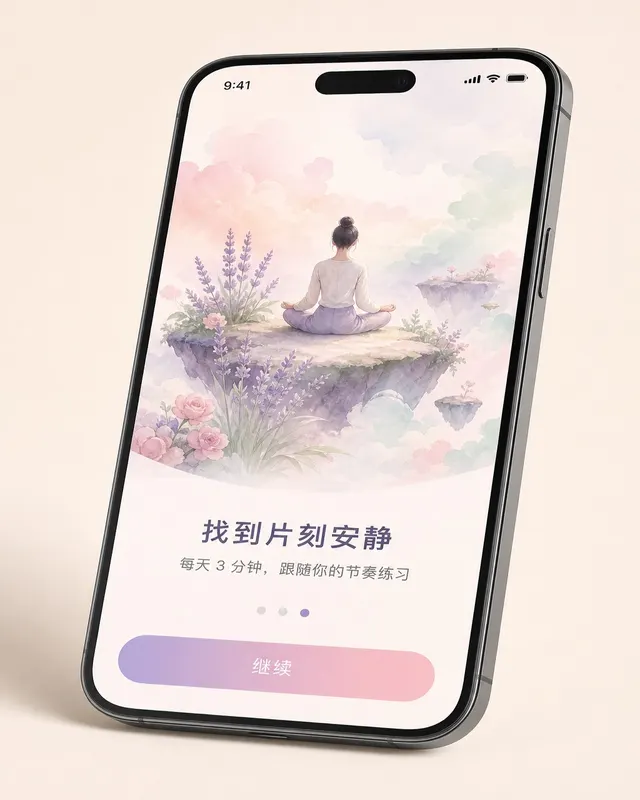
iOS Meditation App Onboarding
A pixel-perfect iOS 17 onboarding screen for a meditation app, shown in iPhone 15 Pro device frame at natural perspective with a slight tilt. The screen is the third of five steps…
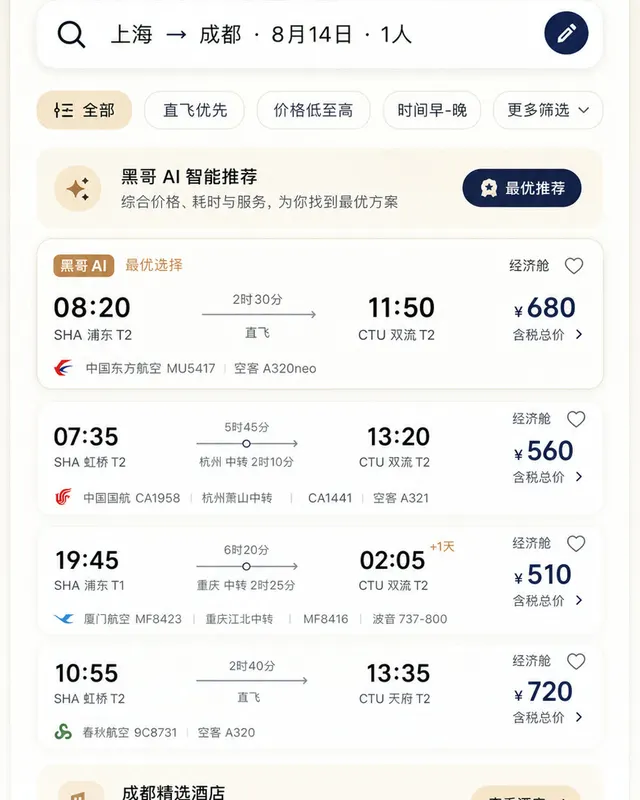
Material 3 Travel Booking App
A pixel-perfect Android mockup following Material Design 3 guidelines for a flight and hotel booking app in light mode. The screen shows a search-results list for flights from Tok…
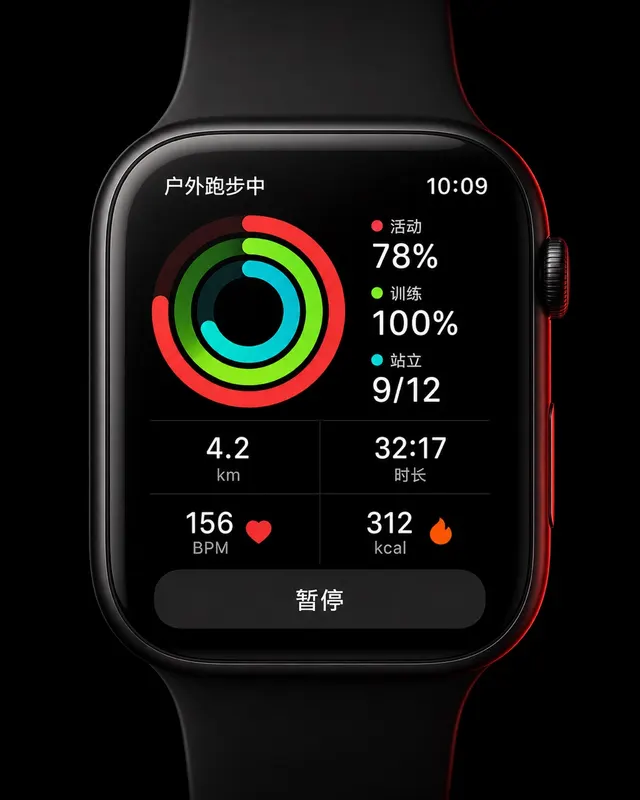
Apple Watch Workout Ring Screen
A pixel-perfect smartwatch UI mockup displayed on a 45mm square watch face with rounded corners and a black OLED background. The screen shows an active outdoor run workout. Three…