iOS 日历周视图暗色界面
这是一个「UI 模拟界面」类别的 AI 生图提示词案例,风格偏向iOS、深色模式。复制下方完整提示词,打开免费 GPT 生图工具粘贴,即可用 GPT Image-2 免费出图,并可替换主体、品牌名与画幅。
中文完整提示词
一张无品牌现代手机机框内的暗色日历周视图像素级界面模拟图。周头使用中文「周一、周二、周三、周四、周五、周六、周日」,今天(周三)蓝色圆形高亮,左侧时间列使用中文时间「上午8点」到「晚上7点」。事件块:「团队站会」(蓝色 9:00-9:30)、「深度工作」(深绿 10:00-11:30)、「午餐会」(橙色 12:30-13:30)、「设计评审」(紫色 15:00-15:45)。11:15 红色当前时间线,全天事件栏显示「第二季度发布 · 最后一周」(琥珀色)。顶部导航「2026年5月」。所有用户可见文字为自然简体中文,不出现英文星期、英文时间、真实平台名称、真实应用图标或水印。
English full prompt
A pixel-perfect iOS dark-mode calendar week view screen in an iPhone 15 Pro frame. The week header shows Mon–Sun with today (Wednesday) highlighted in electric blue circle. The time column on the left shows hours 8 AM to 7 PM. Event blocks are rendered as colored rounded-corner strips spanning their time range: a "Team Standup" block (30 min, 9:00–9:30, blue) with a small video camera icon, a "Deep Work" block (90 min, 10:00–11:30, dark green), a "Lunch with Priya" block (60 min, 12:30–1:30, orange), and a "Design Review" block (45 min, 3:00–3:45, purple). A thin red horizontal line indicates current time at 11:15 AM with a red dot at the left edge. All-day events row above the time grid shows "Q2 Product Launch — Final Week" as a full-width amber chip. Background is dark (#1C1C1E), event tiles use iOS calendar colors. Top navigation shows "May 2026" with left/right arrows.
相关案例
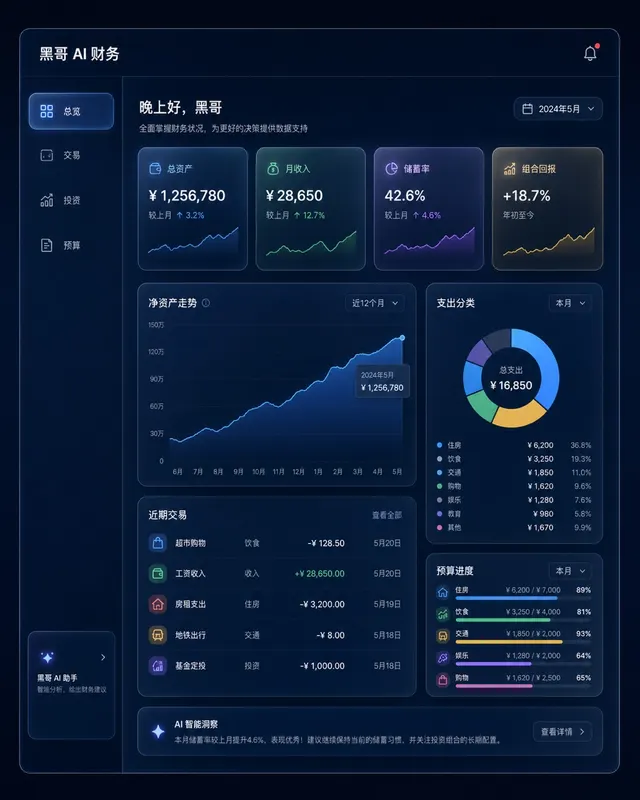
暗色金融仪表盘玻璃拟态
一张桌面端 Web 应用财务仪表盘的像素级精准 mockup,采用玻璃拟态风格。深海军蓝背景,每张卡片为磨砂玻璃效果,带细白色描边和内发光阴影。左侧边栏含 总览、交易、投资、预算 导航。主区域展示 12 个月净资产折线面积图(青绿渐变紫),四个 KPI 卡片(「总资产」、「月收入」、「储蓄率」、「组合回报」),以及支…
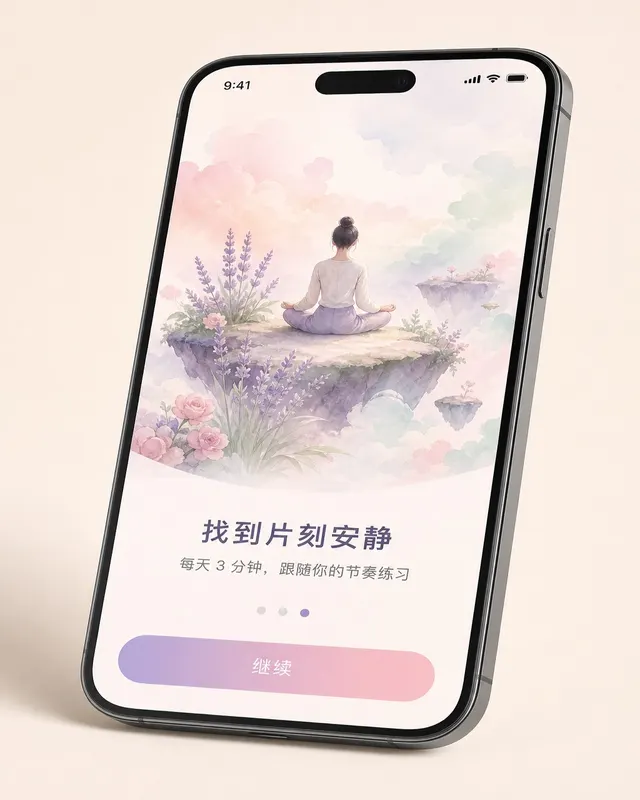
iOS 冥想应用引导页
一张 无品牌现代手机样机 机框内的 现代移动系统 冥想 App 第三步引导页像素级 mockup,设备有轻微透视倾斜。上方 60% 为水彩风格插画:一人盘坐在浮岛上,薰衣草、玫瑰粉、薄荷绿柔和云朵环绕。插画下方粗体标题 「找到片刻安静」,副标题 「每天 3 分钟,跟随你的节奏练习」,分页圆点(第三个填充薰衣草色),底…
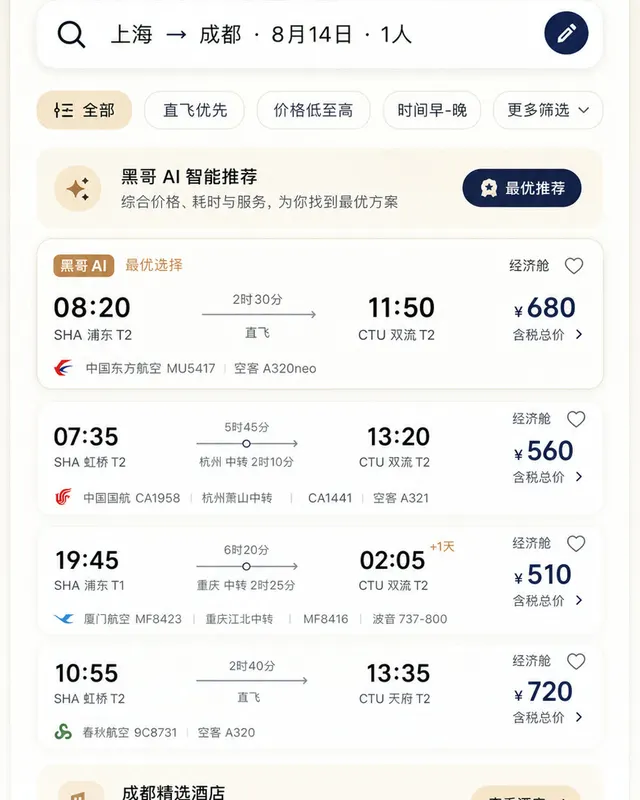
Material 3 旅行预订应用
一张遵循 Material Design 3 规范的 现代移动系统 机票与酒店预订 App 浅色模式像素级 mockup。顶部 M3 搜索栏显示 「上海 → 成都 · 8月14日 · 1人」,筛选芯片行,多张航班卡片展示出发/到达时间、中转信息、时长与价格。底部导航栏四个图标,主色为暖沙色搭配深靛蓝强调色,12dp…
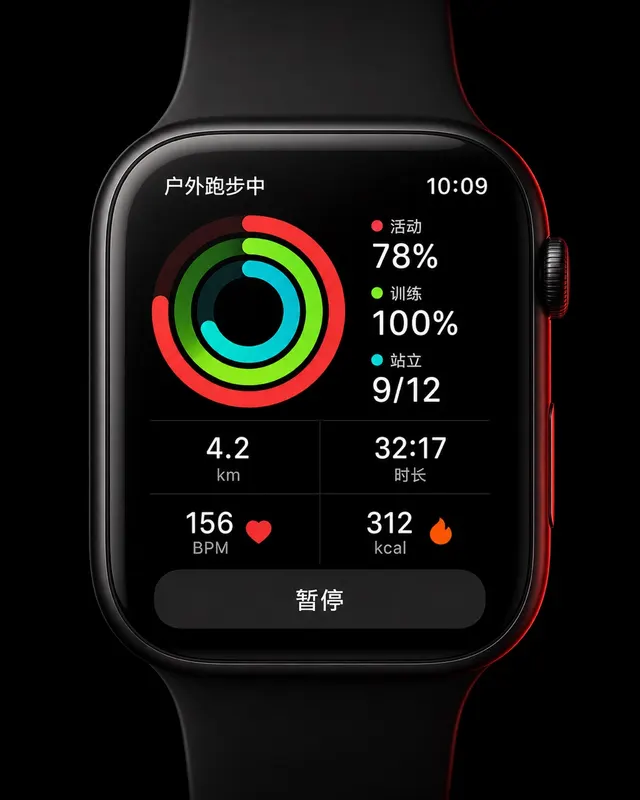
智能手表运动环形界面
一张 45mm 圆角方形智能手表 UI 像素级 mockup,纯黑 OLED 屏。屏幕显示户外跑步中:三圈同心活动环(红色 Move 78%、青绿 Exercise 100%、青色 Stand 9/12),下方 2×2 数据网格显示 "4.2 km"、"32:17"、"156 BPM"、"312 kcal",底部暂停…