校园餐余分析
这是一个「UI 模拟界面」类别的 AI 生图提示词案例,风格偏向UI、Realistic。复制下方完整提示词,打开免费 GPT 生图工具粘贴,即可用 GPT Image-2 免费出图,并可替换主体、品牌名与画幅。
中文完整提示词
把「校园餐余分析」设计成 3:2 的库存批次矩阵,首要工作是“分派餐余批次”。把上方显示概览用于主工作区,历史变化只在选中对象后展开。概览准确显示「餐余批次 34」「待复核 3」「完成率 95%」,这些数值在列表与详情里采用同一定义。对象区列出“餐余批次 34/库存正常”“餐余批次 37/低于下限”“餐余批次 40/等待调拨”,每行附负责人、更新时间和一张证据图。让操作者在一屏内比较原记录和新记录,再执行“分派餐余批次”。成功状态包含姓名与时间,失败状态保留所有编辑,适配餐余批次的现场操作。断网不丢照片、坐标和备注;重新上线先处理冲突。零数据页面解释如何新增餐余批次,而不是只画空盒子。让深海蓝、银灰与信号橙服务信息辨识而非装饰,服务“分派餐余批次”的完成闭环;正文、字段、按钮有稳定字号梯度,高对比模式仍能区分状态,适配餐余批次的现场操作。排除现役软件皮肤、厂商品牌、真实身份资料、营销样机与装饰性可视化,画面到产品边缘结束,保持「校园餐余分析」的工具属性。
English full prompt
Design the 3:2 “Cafeteria Waste Review” inventory batch matrix around one job: “分派餐余批次.” Build the main workspace with an overview above separate evidence and history regions, moving from pending objects to evidence and then to the final action, revealing history only after an object is selected. Show 「餐余批次 34」「待复核 3」「完成率 95%」 in the overview and apply the same definitions in list and detail. List “餐余批次 34 / 库存正常”“餐余批次 37 / 低于下限”“餐余批次 40 / 等待调拨”; each row has an owner, updated time, and evidence image. Let the operator compare old and new records before “分派餐余批次.” Success includes operator and time, while failure preserves every edit. A network loss keeps photographs, coordinates, and notes. Reconnection resolves conflicts first. A zero-data view teaches how to add a 餐余批次. Use deep ocean blue, silver gray, and signal orange, clear Simplified Chinese sans-serif type, and tabular numerals for recognition rather than decoration. Maintain stable type levels and preserve state differences in high-contrast mode. Exclude current software skins, manufacturer branding, real identities, marketing mockups, and decorative visualization. End at the product frame. Preserve the user’s place while the task resolves for “Cafeteria Waste Review” after the operator chooses the action “分派餐余批次”. Loading affects only the submitted component; the rest of the page stays readable and operable. Final art direction: original product interface design with clear hierarchy and credible interaction states. Use this controlled palette as the dominant visual system: #172B3A, #E8F0EE, #6DA58D, #D79A46; preserve believable local material colors within it. Preserve the requested text hierarchy and wording as part of the design, but do not invent extra slogans, pseudo-text, logos, or watermarks. Keep one unmistakable primary subject or information route and one readable visual action. Use disciplined negative space and avoid default perfect symmetry. Physical credibility is mandatory: correct gravity, contact shadows, material thickness, tool weight, joint loading, fabric tension, liquid direction, reflections, scale, and occlusion. Create an original visual with no resemblance to a public figure, copyrighted character, existing campaign, or living artist signature style. No unrelated decorative icons, floating objects, duplicated limbs, plastic gloss, waxy skin, synthetic collage artifacts, or AI watermarks. Return exactly one finished image composed for 3:2; no variants, process sheet, split panels, mockup frame, or contact sheet.
相关案例
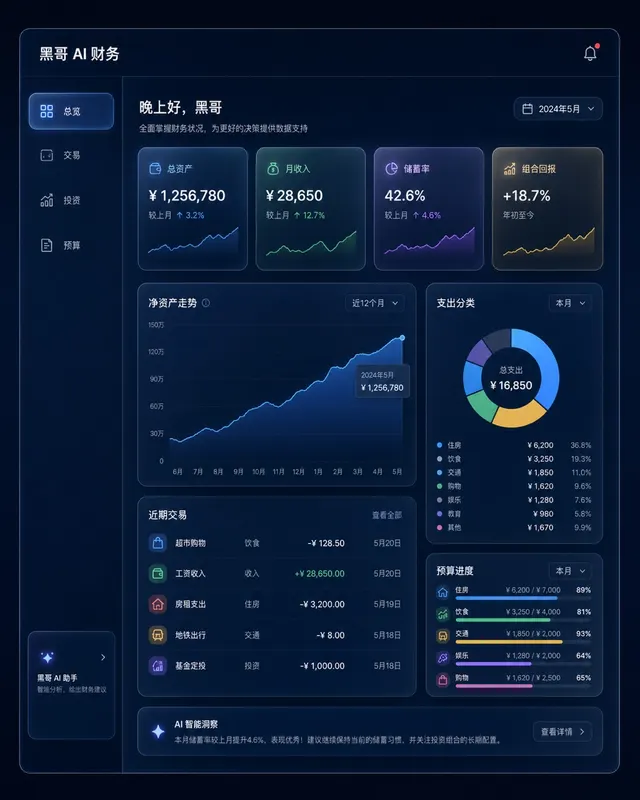
暗色金融仪表盘玻璃拟态
一张桌面端 Web 应用财务仪表盘的像素级精准 mockup,采用玻璃拟态风格。深海军蓝背景,每张卡片为磨砂玻璃效果,带细白色描边和内发光阴影。左侧边栏含 总览、交易、投资、预算 导航。主区域展示 12 个月净资产折线面积图(青绿渐变紫),四个 KPI 卡片(「总资产」、「月收入」、「储蓄率」、「组合回报」),以及支…
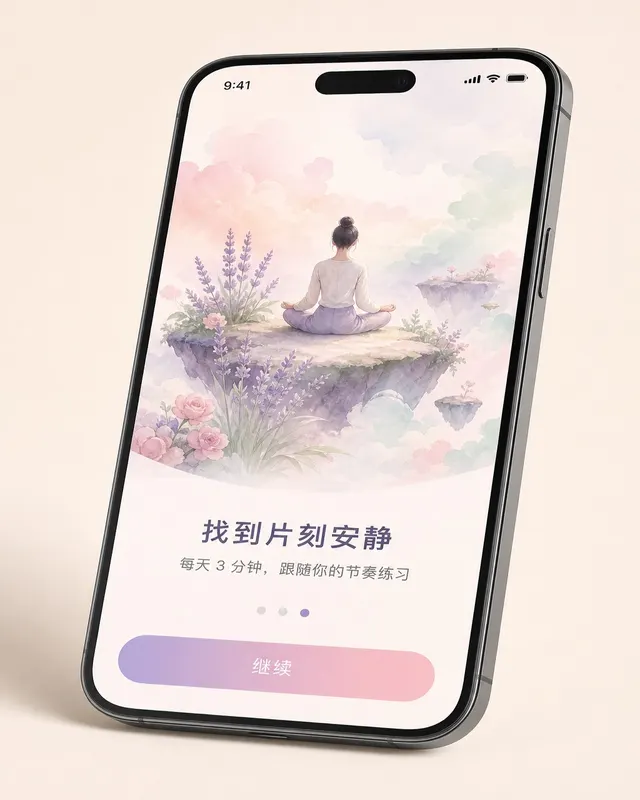
iOS 冥想应用引导页
一张 无品牌现代手机样机 机框内的 现代移动系统 冥想 App 第三步引导页像素级 mockup,设备有轻微透视倾斜。上方 60% 为水彩风格插画:一人盘坐在浮岛上,薰衣草、玫瑰粉、薄荷绿柔和云朵环绕。插画下方粗体标题 「找到片刻安静」,副标题 「每天 3 分钟,跟随你的节奏练习」,分页圆点(第三个填充薰衣草色),底…
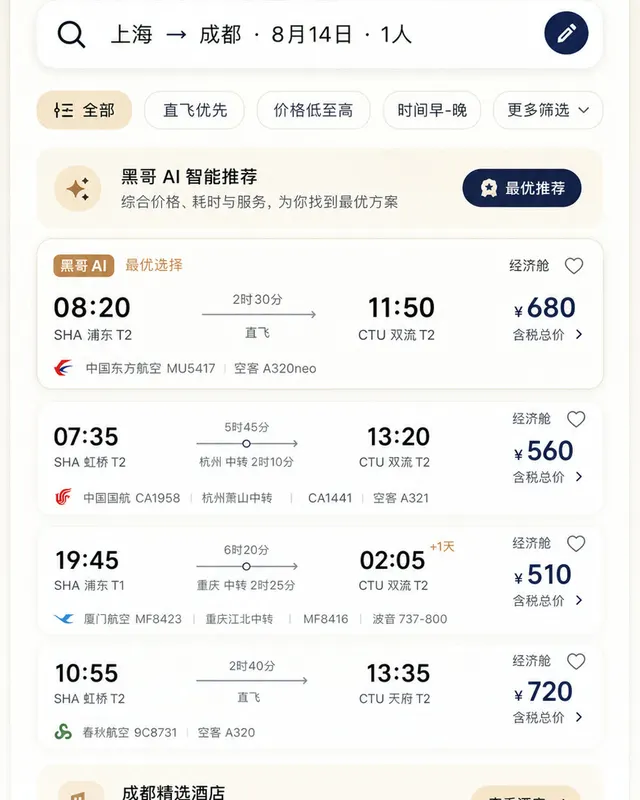
Material 3 旅行预订应用
一张遵循 Material Design 3 规范的 现代移动系统 机票与酒店预订 App 浅色模式像素级 mockup。顶部 M3 搜索栏显示 「上海 → 成都 · 8月14日 · 1人」,筛选芯片行,多张航班卡片展示出发/到达时间、中转信息、时长与价格。底部导航栏四个图标,主色为暖沙色搭配深靛蓝强调色,12dp…
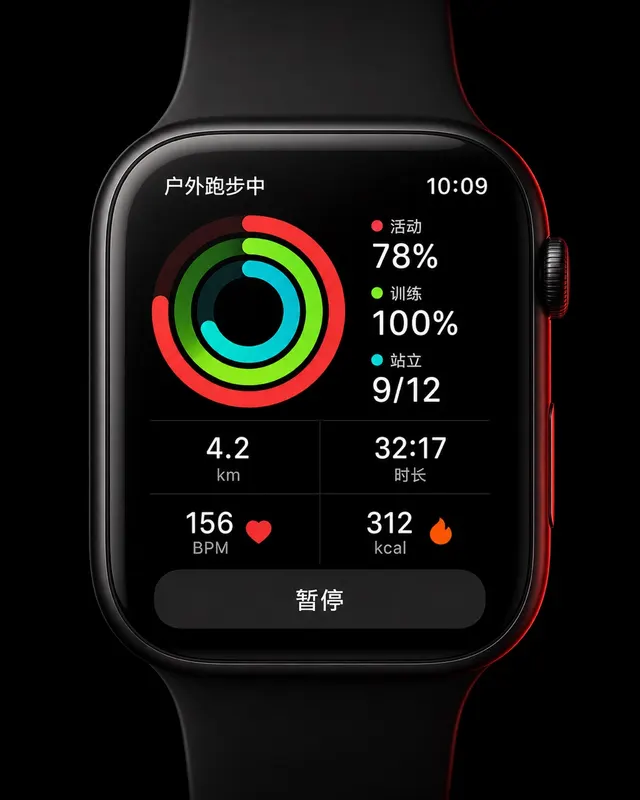
智能手表运动环形界面
一张 45mm 圆角方形智能手表 UI 像素级 mockup,纯黑 OLED 屏。屏幕显示户外跑步中:三圈同心活动环(红色 Move 78%、青绿 Exercise 100%、青色 Stand 9/12),下方 2×2 数据网格显示 "4.2 km"、"32:17"、"156 BPM"、"312 kcal",底部暂停…