桌面专业图片编辑器深色界面
这是一个「UI 模拟界面」类别的 AI 生图提示词案例,风格偏向深色模式、极简主义、扁平。复制下方完整提示词,打开免费 GPT 生图工具粘贴,即可用 GPT Image-2 免费出图,并可替换主体、品牌名与画幅。
中文完整提示词
一张专业桌面图片编辑应用模拟图,展示于微微倾斜的 27 英寸宽屏显示器,置于干净的深色工作室桌面。应用界面深色模式(#1A1A1A 背景)填满屏幕。左侧工具面板:16 个图标按钮的窄垂直条,活跃工具以暗蓝灰圆圈高亮。中央画布:黄金时段海岸悬崖风景照,带轻微暗角调整效果,暖琥珀天空与绿松石海水。右侧面板:可折叠调整滑块,标签全部中文:「曝光」「对比」「高光」「阴影」「鲜艳度」,每个为带圆形滑块的水平轨道,右侧数值如「+0.3」「-15」。右面板顶部为暗底 RGB 叠加直方图。底部胶片条显示 6 张缩略图。顶部工具栏使用中文菜单「文件」「编辑」「视图」,右侧实心蓝色(#2260FF)按钮写「导出」。整体氛围:专注专业工作流。所有用户可见文字为自然简体中文;RGB 可作为技术缩写保留;不要真实软件商标、英文菜单、水印或乱码。
English full prompt
A professional desktop photo editing application displayed on a widescreen 27-inch monitor mockup at a slight angle on a clean dark studio desk. The app interface fills the screen in dark mode with a #1A1A1A background. Left tool palette: a narrow vertical strip with 16 icon buttons (selection, crop, heal, brush, gradient, etc.) in muted icon style, the active tool highlighted in a dimmed blue-gray circle. Center canvas area: a landscape photograph of a coastal cliff at golden hour fills the canvas, slightly vignette-adjusted within the app context — warm amber sky, turquoise water. Surrounding the photo is a dark neutral canvas stage. Right panel: collapsible adjustment sliders — Exposure, Contrast, Highlights, Shadows, Vibrance — each shown as a horizontal track with a circular handle; numerical values on the right like "+0.3", "-15", etc. A histogram at the top of the right panel shows an RGB overlay curve on dark ground. Bottom film strip: 6 photo thumbnails in a horizontal scroll. Top toolbar: File, Edit, View menus in 13px Inter; a "Export" button in a solid blue (#2260FF). Mood: focused professional workflow.
相关案例
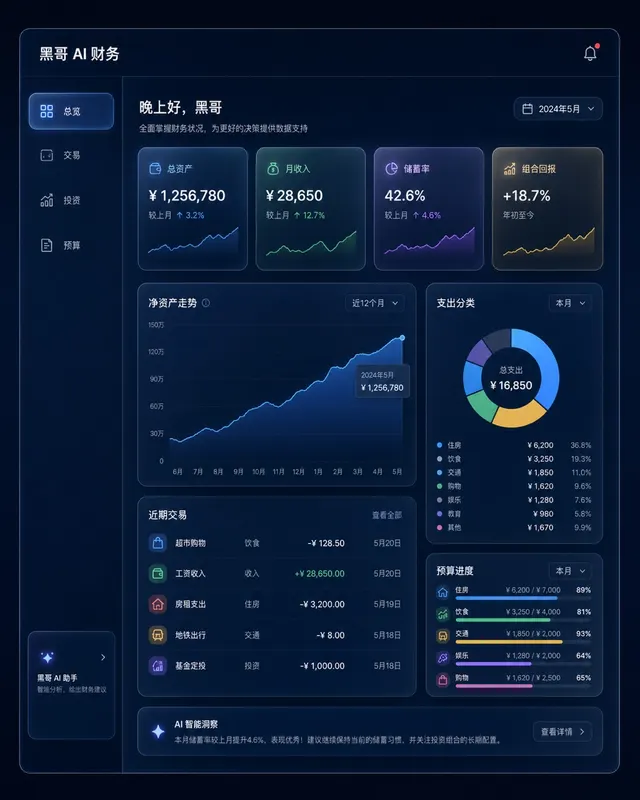
暗色金融仪表盘玻璃拟态
一张桌面端 Web 应用财务仪表盘的像素级精准 mockup,采用玻璃拟态风格。深海军蓝背景,每张卡片为磨砂玻璃效果,带细白色描边和内发光阴影。左侧边栏含 总览、交易、投资、预算 导航。主区域展示 12 个月净资产折线面积图(青绿渐变紫),四个 KPI 卡片(「总资产」、「月收入」、「储蓄率」、「组合回报」),以及支…
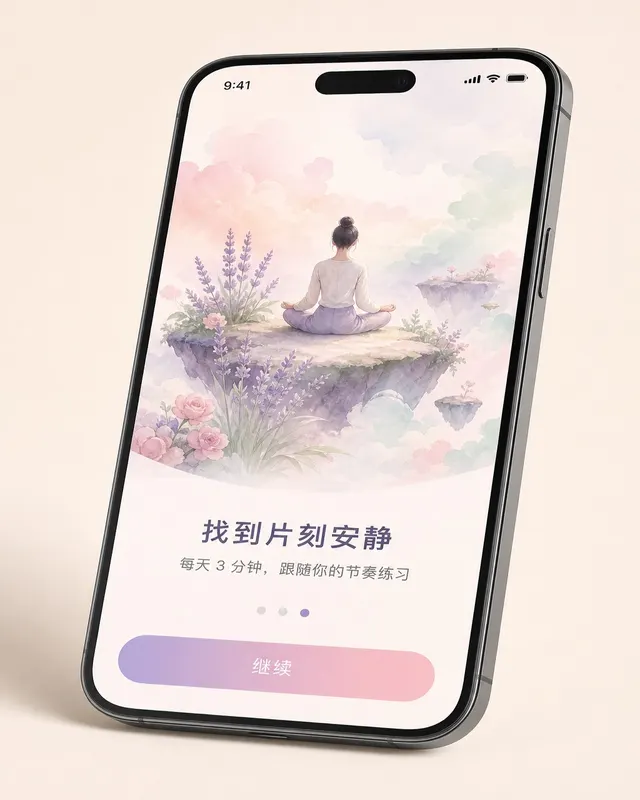
iOS 冥想应用引导页
一张 无品牌现代手机样机 机框内的 现代移动系统 冥想 App 第三步引导页像素级 mockup,设备有轻微透视倾斜。上方 60% 为水彩风格插画:一人盘坐在浮岛上,薰衣草、玫瑰粉、薄荷绿柔和云朵环绕。插画下方粗体标题 「找到片刻安静」,副标题 「每天 3 分钟,跟随你的节奏练习」,分页圆点(第三个填充薰衣草色),底…
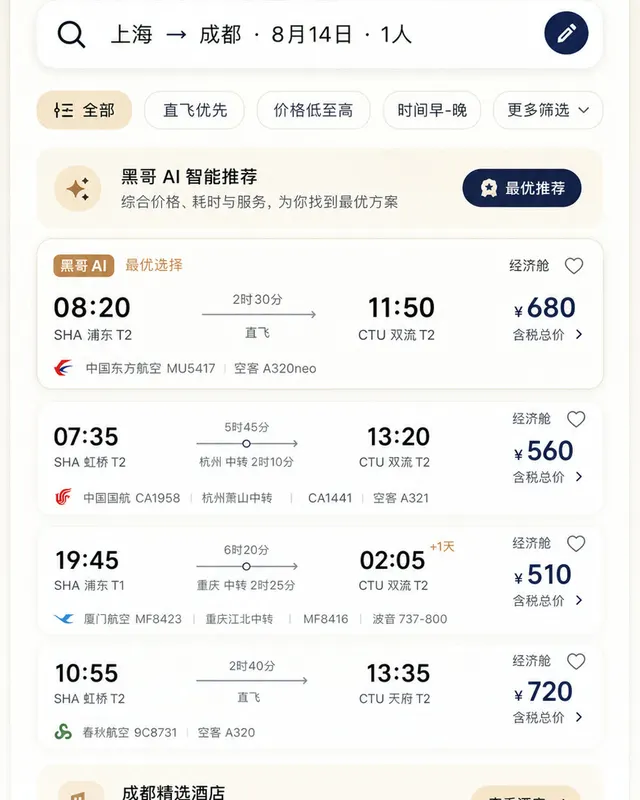
Material 3 旅行预订应用
一张遵循 Material Design 3 规范的 现代移动系统 机票与酒店预订 App 浅色模式像素级 mockup。顶部 M3 搜索栏显示 「上海 → 成都 · 8月14日 · 1人」,筛选芯片行,多张航班卡片展示出发/到达时间、中转信息、时长与价格。底部导航栏四个图标,主色为暖沙色搭配深靛蓝强调色,12dp…
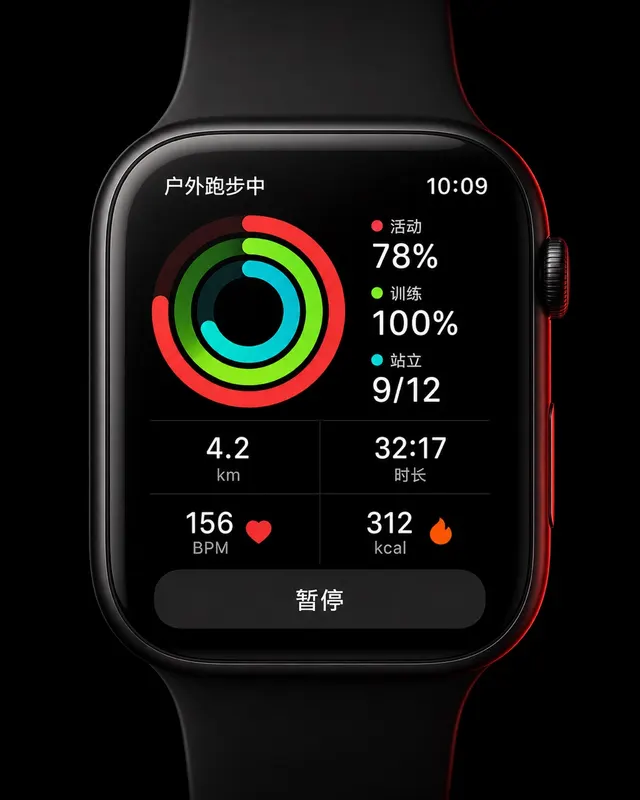
智能手表运动环形界面
一张 45mm 圆角方形智能手表 UI 像素级 mockup,纯黑 OLED 屏。屏幕显示户外跑步中:三圈同心活动环(红色 Move 78%、青绿 Exercise 100%、青色 Stand 9/12),下方 2×2 数据网格显示 "4.2 km"、"32:17"、"156 BPM"、"312 kcal",底部暂停…