Reskin Codex. One image, one theme.
Give the Codex desktop app a face that breathes. Drop in an image you like and it becomes your Codex skin; switch instantly from the top menu with light and dark appearance synced automatically. Local CDP injection, no app.asar or signature touched, one-click restore to the official UI anytime.
HeiGe Codex Skin Studio is a free, open-source reskin tool for Codex Desktop: current version 5.5.18, 13 built-in themes, macOS and Windows support, with all code public under the MIT license.
Miku, Genshin, Wuthering, Naruto, Deepspace, Dragon Ball, Caishen
no binary or signature touched
macOS + Windows
auto color from any picture
Every shot is a real screenshot, not a mockup.
Each theme below has run inside a real Codex window. The sidebar, suggestion cards, project picker, and input box all stay natively interactive. It looks like a new app and works like the Codex you know.
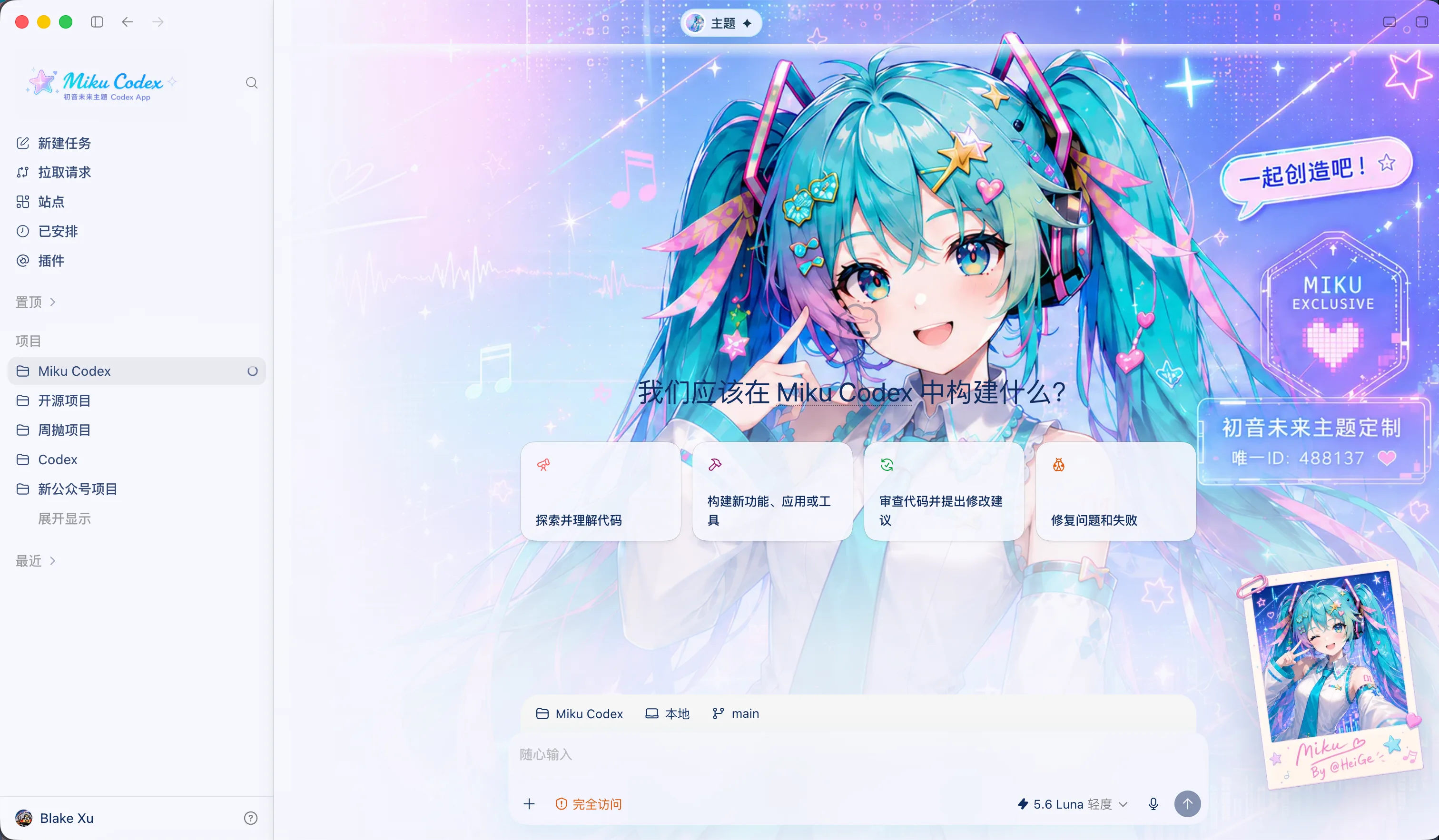
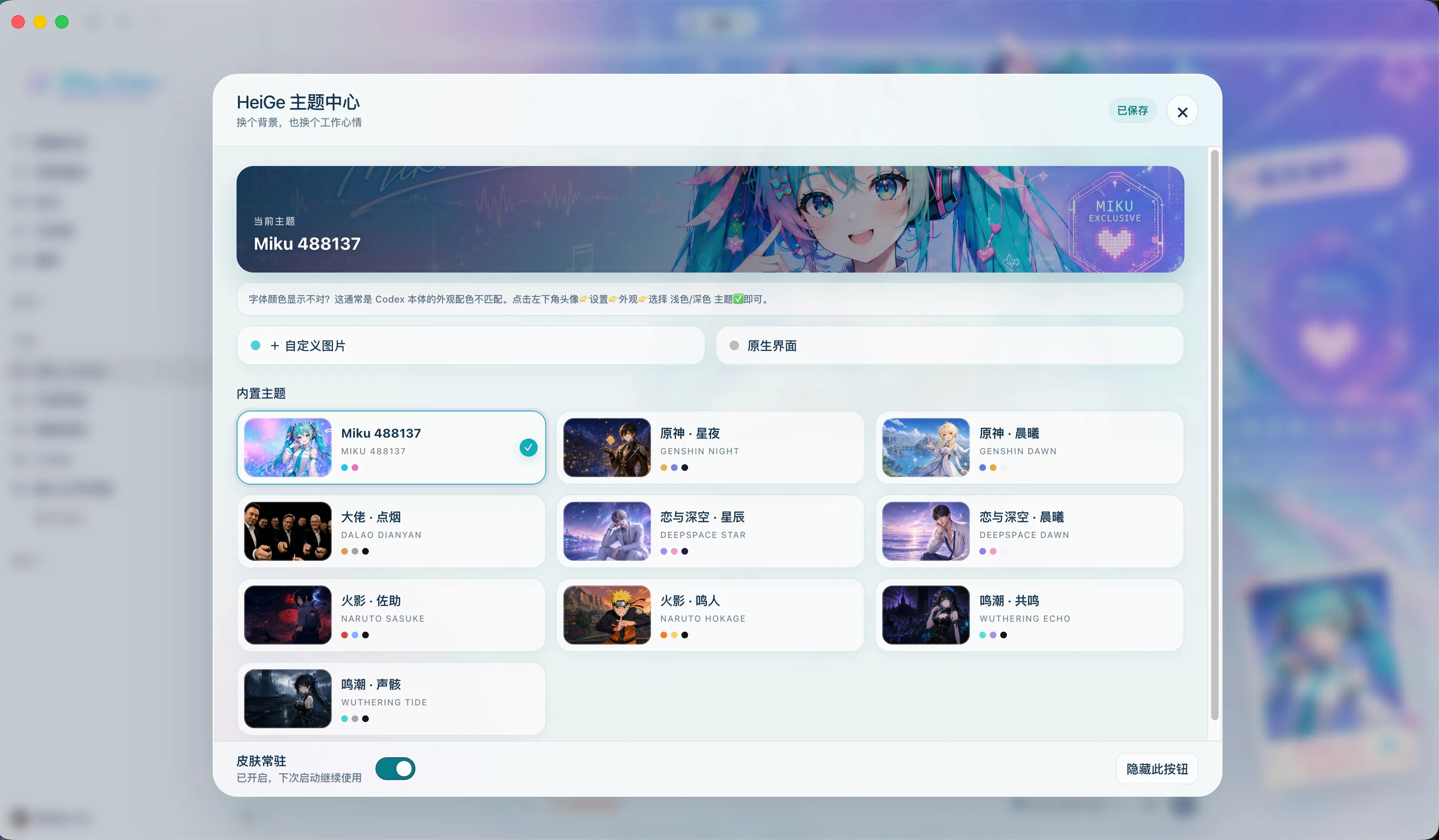
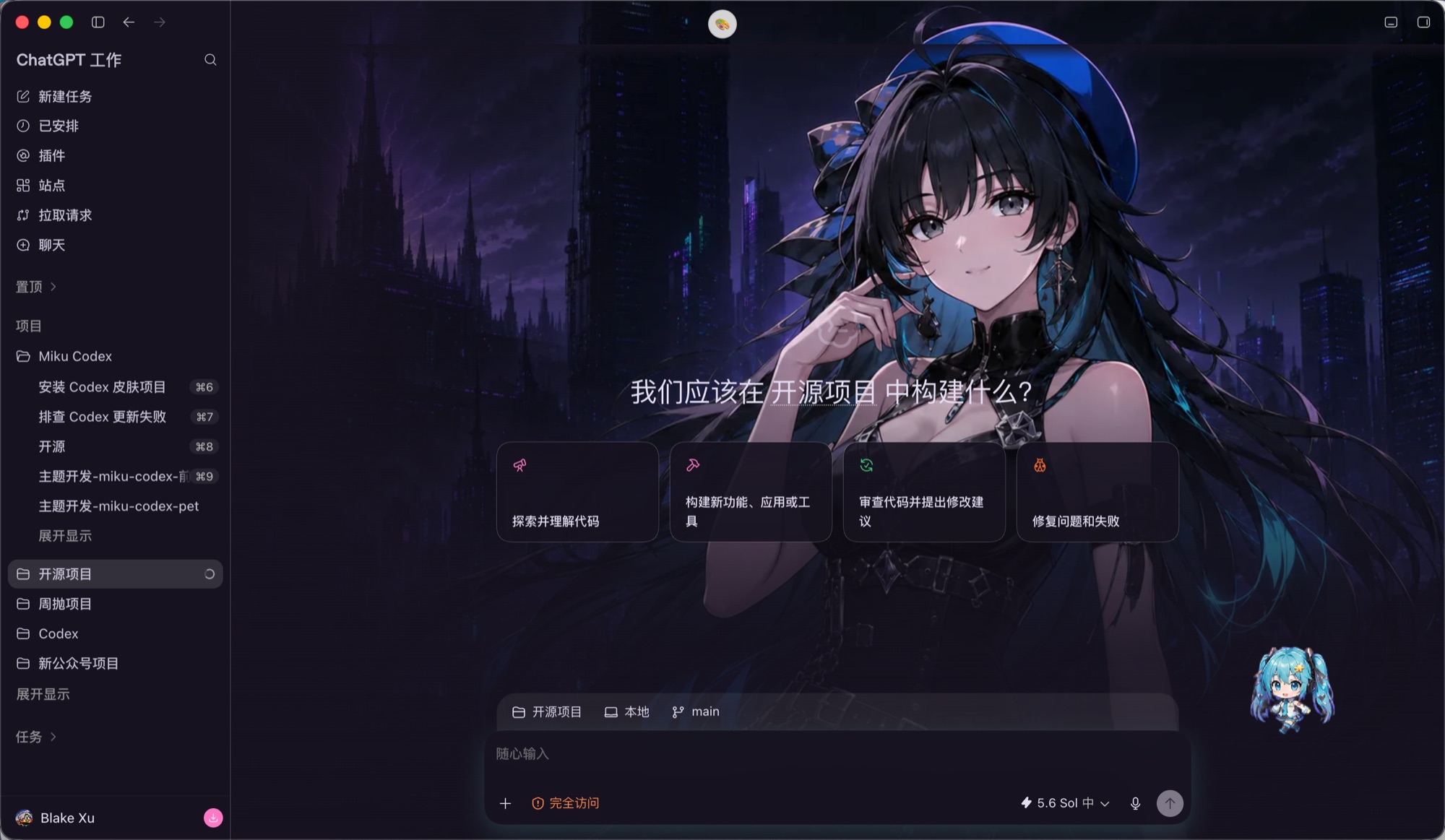
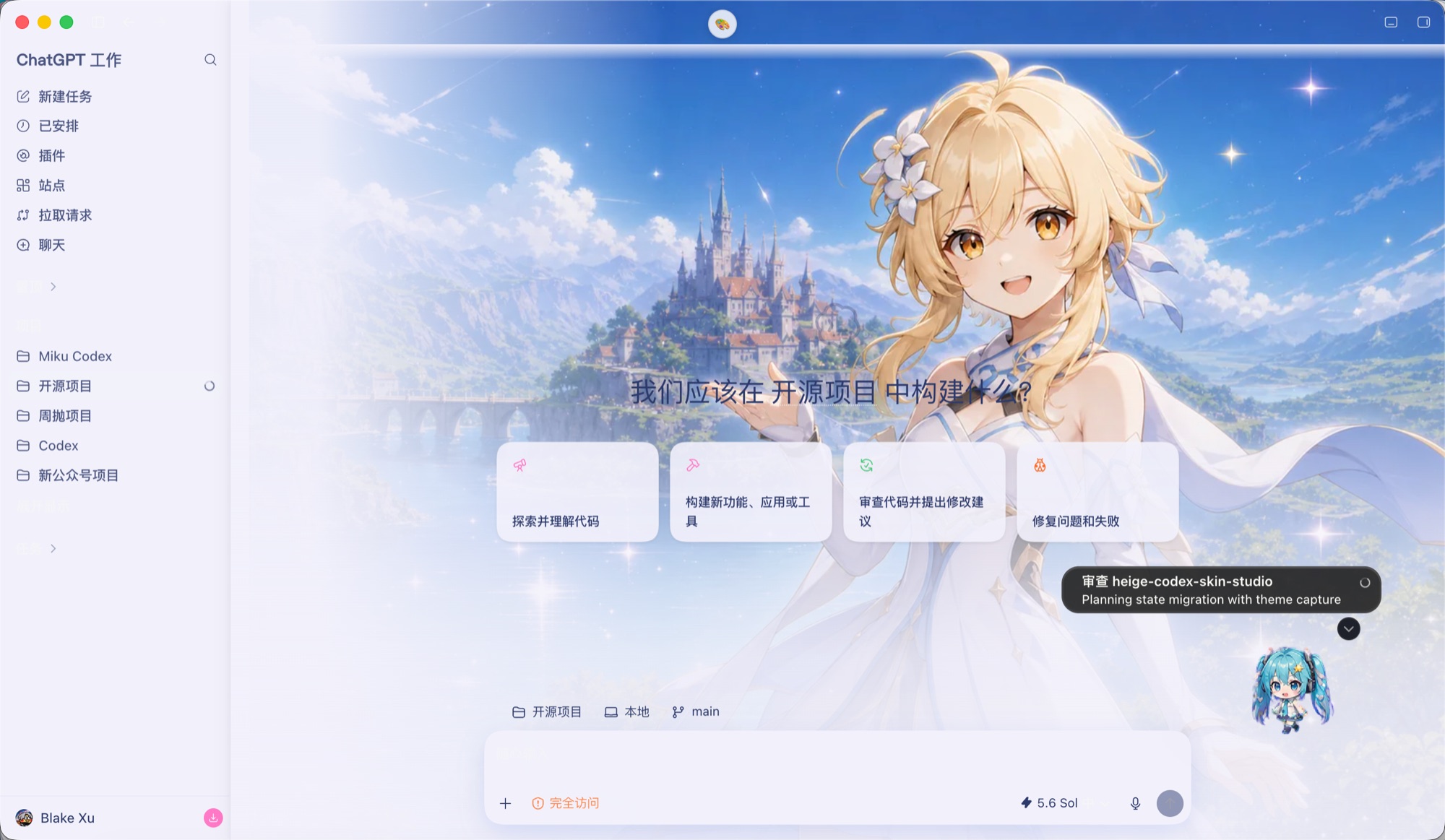
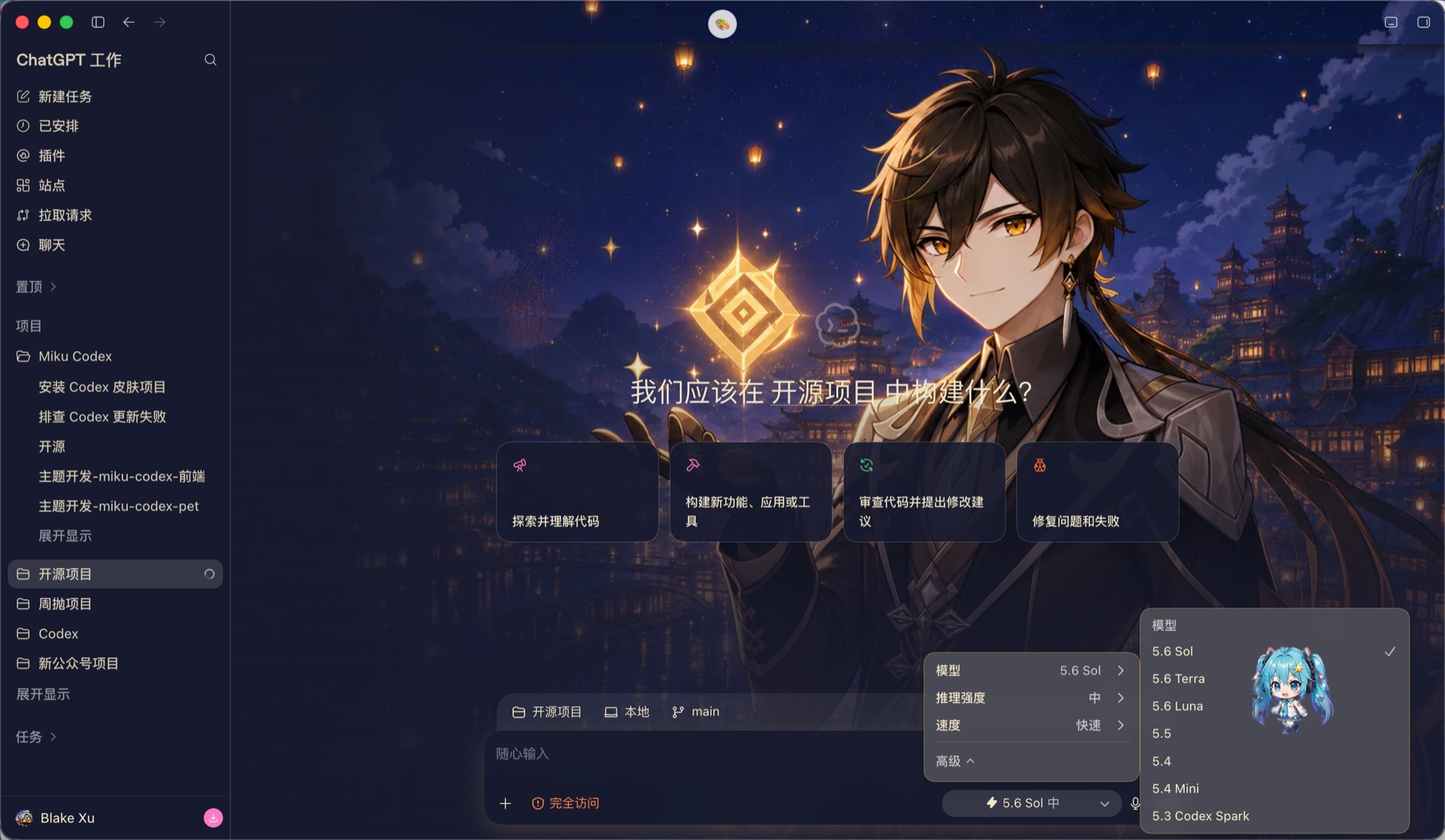
13 built-in themes, ready in the theme center.
These are the wallpapers each preset uses (not UI screenshots). Picking one syncs the palette and Codex light/dark appearance. Want your theme here? Submit a preset following the contributing guide: register the asset source and pass the checks.
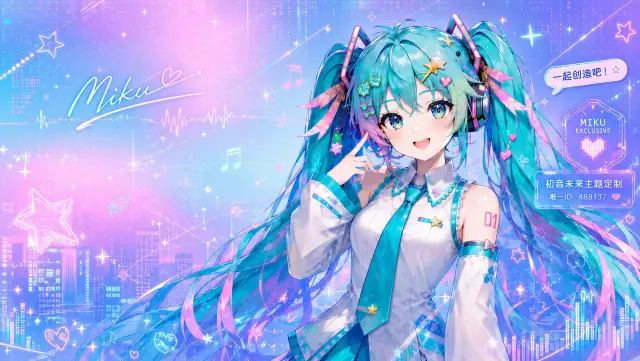
miku-488137
genshin-dawn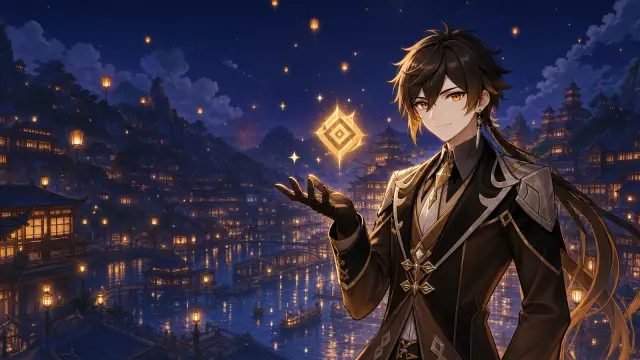
genshin-night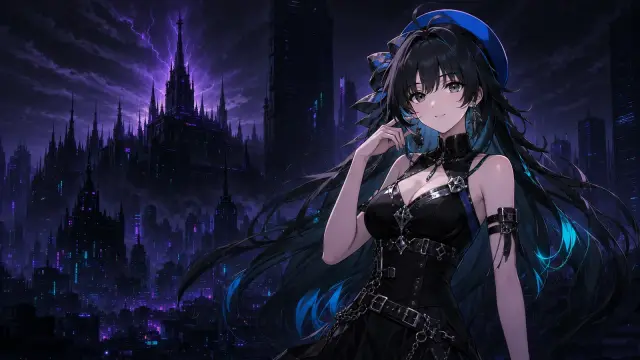
wuthering-echo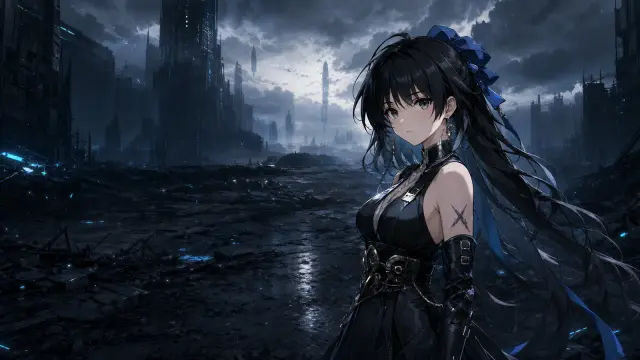
wuthering-tide
naruto-hokage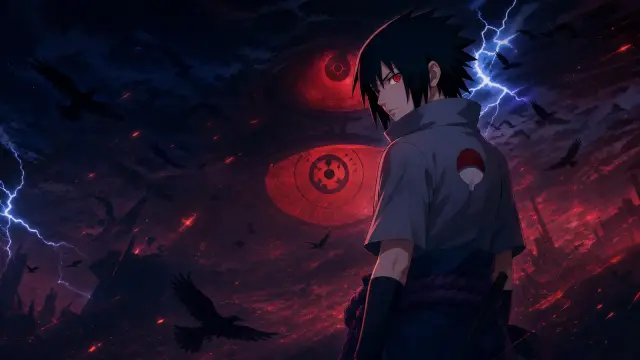
naruto-sasuke
deepspace-dawn
deepspace-star
dragonball-nimbus
dragonball-super-saiyan
caishen-readable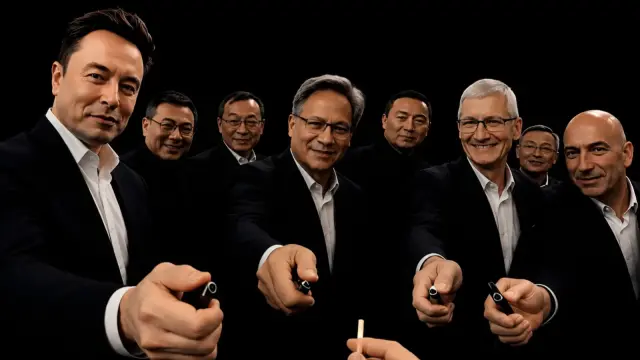
dalao-dianyan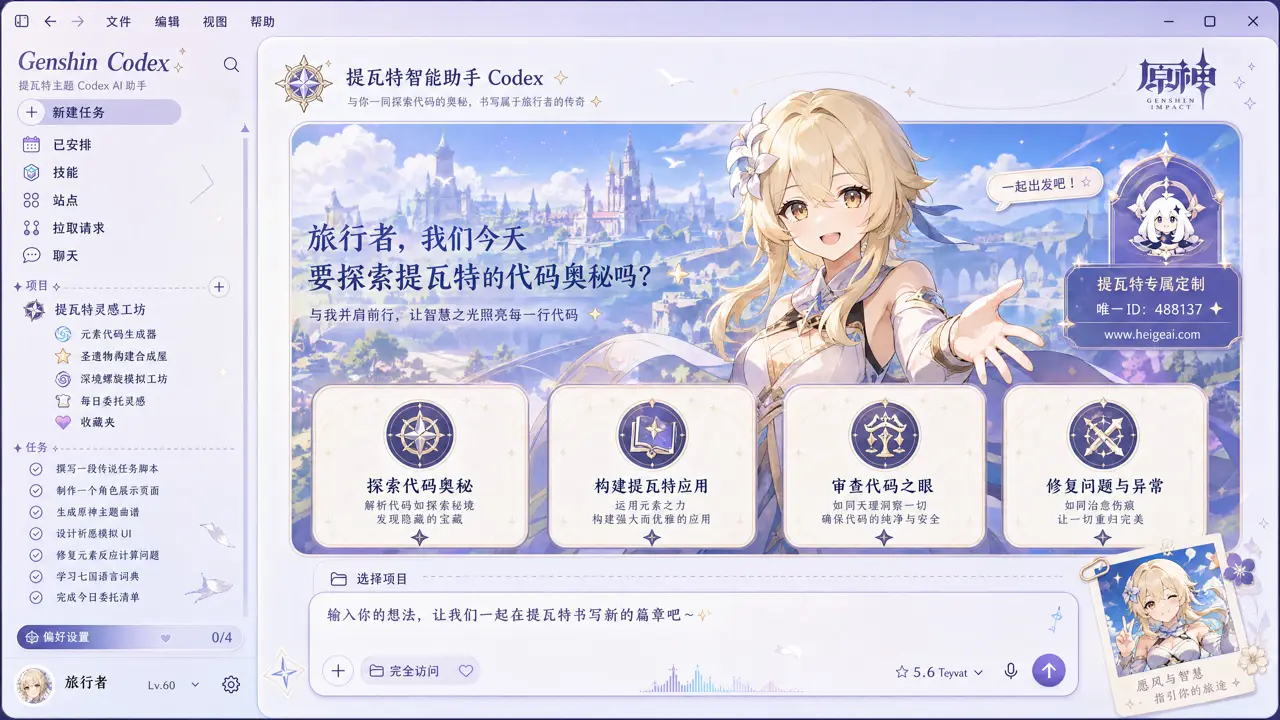
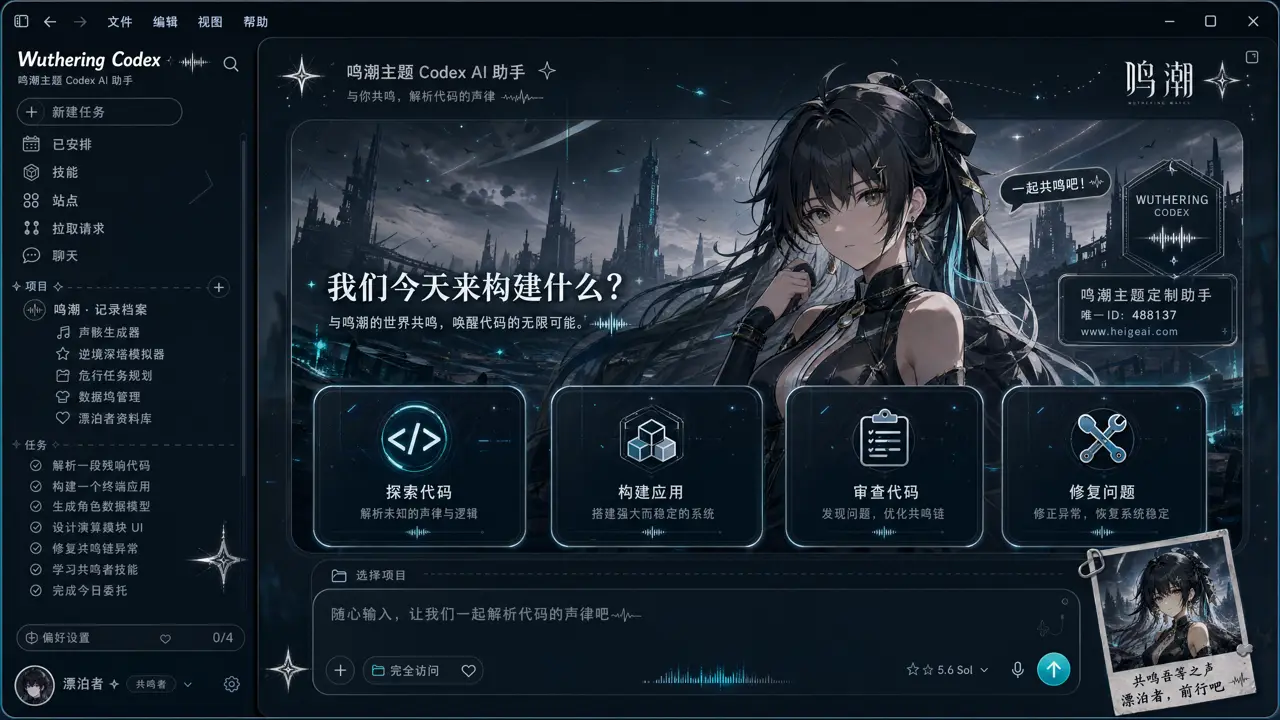
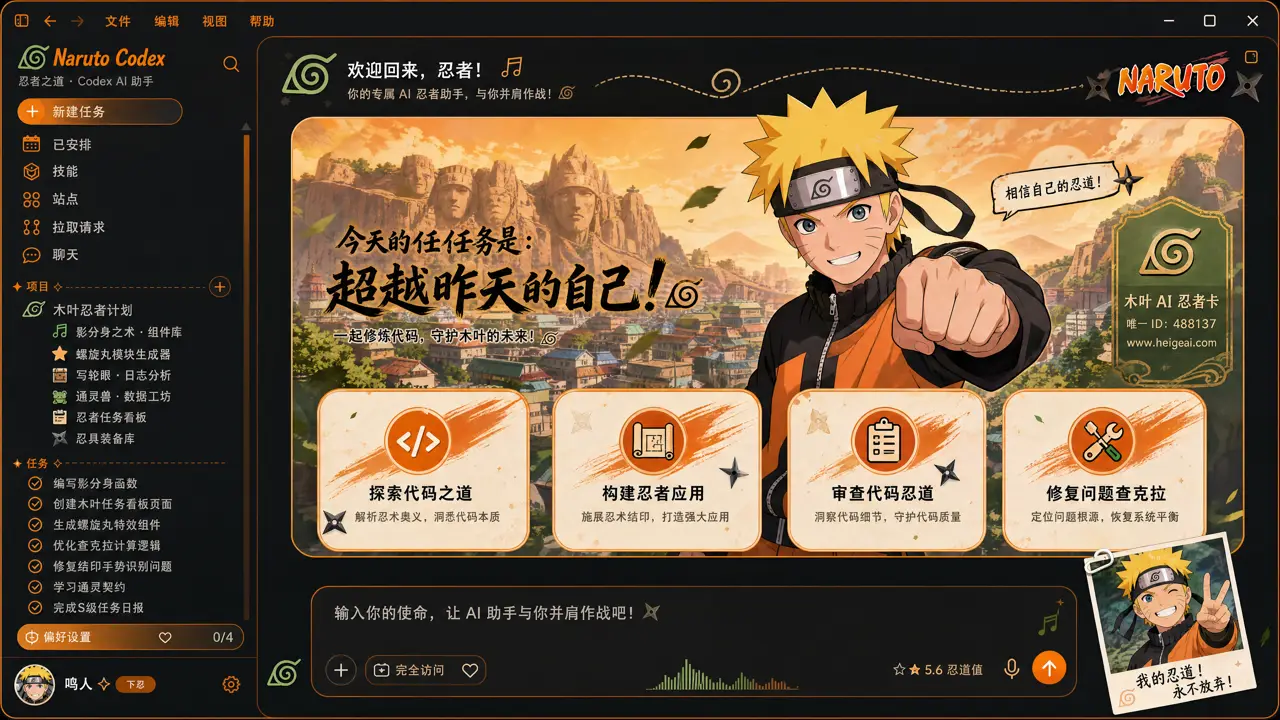
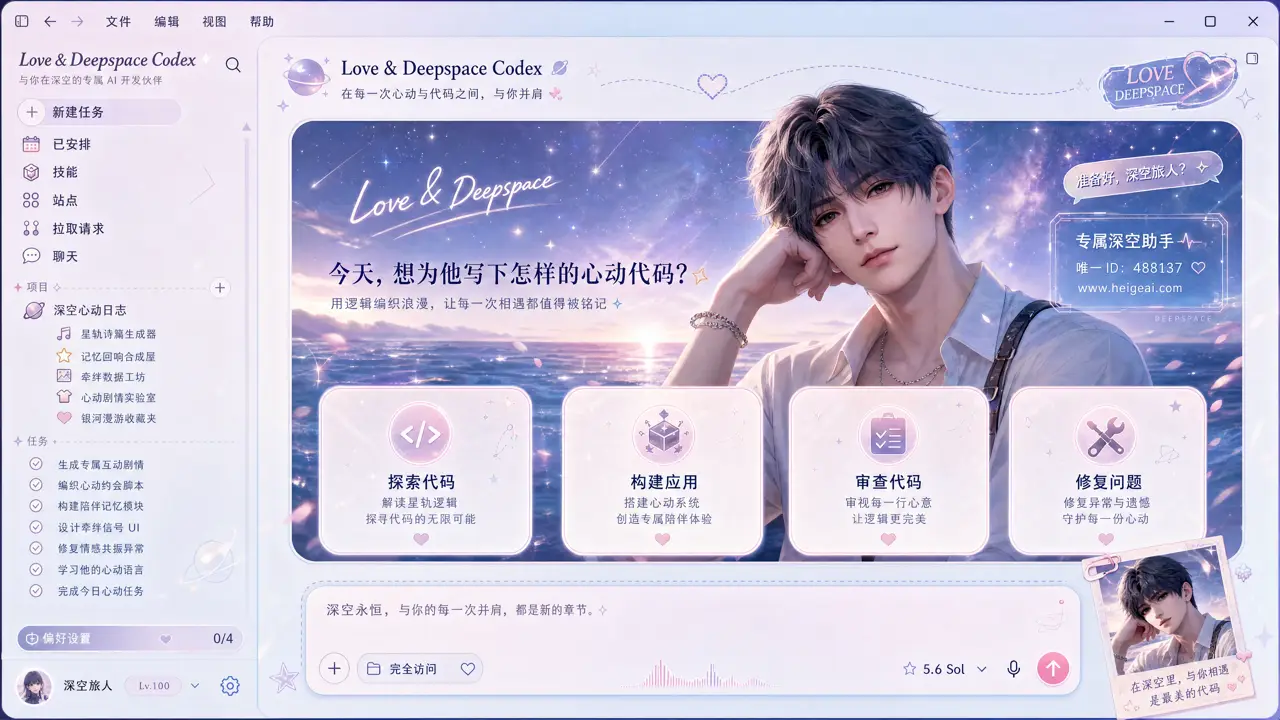
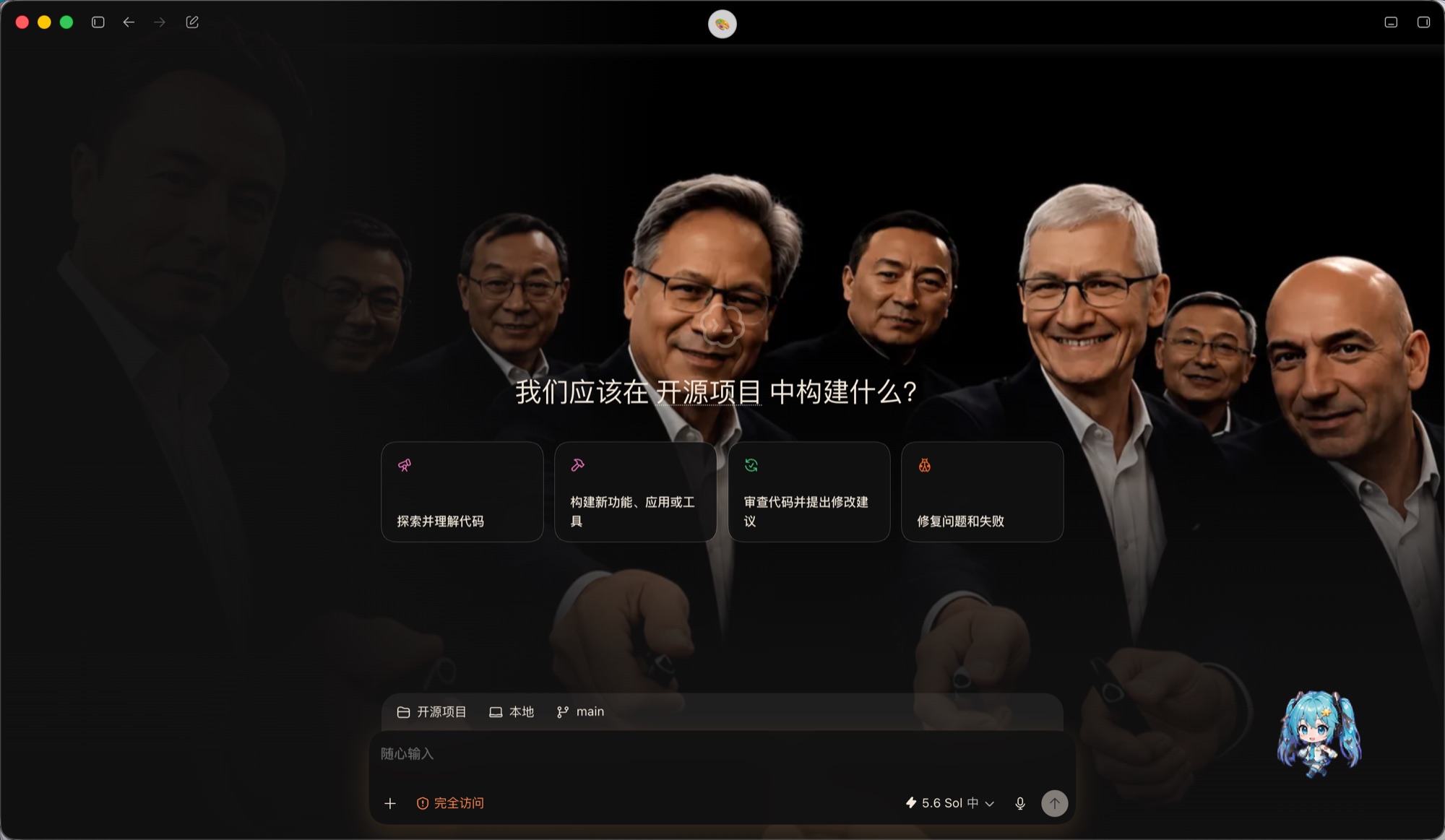
Real theming — not a screenshot overlay, not a repackaged binary.
It is runtime injection into the Codex desktop app. Same UI you know, wrapped in the mood you choose.
Truly interactive
Sidebar, suggestion cards, project picker, and input box are native Codex controls; the whole window stays interactive with nothing lost.
One image = one theme
Any PNG / JPG / JPEG / WebP becomes a skin, with accent, secondary, surface, and text colors auto-extracted and light/dark synced to image brightness.
Switch from the top menu
After applying a skin, a 🎨 menu appears in Codex. Every installed theme and the native UI are one click away. Collapse it into a translucent dot if it is in the way.
Clear safety boundary
Themes load through the Chrome DevTools Protocol bound only to 127.0.0.1, never touching app.asar, binaries, or signatures. The menu control channel adds token and schema checks.
One-click restore
Switch back to the official look anytime with no permanent changes. Because the install directory is never modified, restore is instant and lossless, and survives Codex updates.
AI-generated themes
Hand the Skill to Codex, let it generate a hero image first, then turn it into a skin automatically. No extra API Key, a whole new theme from one sentence.
Optional bundled Pet
The package includes a standalone Miku Future animated desktop pet with idle, run, wave, and jump motions. It never replaces Codex's built-in pet or forces itself on when you install only the skin.
You control persistence
A skin only survives across launches after you explicitly flip the top-menu persistence switch. The pause / resume / restore lifecycle stays fully in your hands.
Free and open source
MIT-licensed, community-driven. Every line of the injector is auditable. Contribute your own themes or fork your personal skin pack.
Download the open-source installer, run it, pick an image.
Requires the Codex desktop app. Your API Key and model configuration are never read or modified.
macOS live-verified
Download or clone the repo. The installer places the tool at ~/.codex/heige-codex-skin-studio and applies the Miku preset by default.
Run the installer (Codex quits and reopens in debug mode when applying, so save your work first).
Switch from the 🎨 menu in Codex, or choose "+ Custom image" to upload your own.
open "<repo>/scripts/install.command"Windows cross-version automation
Download or clone the repo. Entries live under scripts\windows and write only the current user directory.
Run the install script; it creates a "HeiGe Skin Launcher" Start Menu shortcut. System Node.js must be 22 or newer.
Switch themes from the top menu; to keep a skin across launches, flip the persistence switch manually.
powershell -ExecutionPolicy Bypass -File .\scripts\windows\install.batHand skinning off to Codex
Give output/heige-codex-skin-studio.skill to Codex and ask in one sentence to generate an image and reskin, no extra API Key needed.
Note: Not an official OpenAI product; skinning and API config are fully independent. A "port not ready" message usually means an old instance did not quit — fully close Codex and rerun the script.
Every boundary, written in the open.
- Target app
- OpenAI Codex Desktop (ChatGPT desktop client)
- Injection
- Chrome DevTools Protocol, debug port bound only to loopback 127.0.0.1:9341. Codex Desktop is an Electron app; app.asar is Electron's standard resource archive, and this tool only ever reads it
- Never does
- No changes to app.asar, binaries, or signatures; no reading or rewriting of your API Key and model config
- Built-in themes
- 13 (1 high-fidelity Miku 488137 + 10 lightweight anime/game themes + 1 "Caishen Readable" + 1 "Dalao" easter egg)
- Runtime deps
- No npm runtime dependencies installed; system Node.js must be 22 or newer
- License
- Code is licensed under the MIT License (full text in the repo LICENSE); character assets belong to their owners, per-file sources in ASSET_PROVENANCE
What people ask before reskinning Codex.
Q1 What is a Codex skin?+
Q2 Is it safe? Will it break Codex?+
127.0.0.1, with no changes to app.asar, binaries, or signatures. Turn persistence off and the current session stays skinned while the next launch returns to the native UI, instantly and losslessly. CDP itself is unauthenticated, so same-user local processes remain inside the threat boundary; full details in SECURITY.md.Q3 Does it touch my API Key or model config?+
Q4 Are the previews real screenshots or concept renders?+
Q5 How do I make a Codex theme from my own image?+
customize.command opens a GUI; or node src/cli.mjs create --image path --name name. Any PNG, JPG, JPEG, or WebP works.Q6 Does it support Windows?+
Q7 Will skins survive a Codex update?+
doctor and attach the redacted result to an Issue.Q8 Is it free? How is it different from other reskin tools?+
Codex Skin co-creation group
Scan to join the WeChat group — technical talk only, non-profit. Share the themes you build, discuss the implementation, ask questions. If the QR expires, open an Issue on the repo and I will refresh it.

Free, open source, one-click restore. Give your coding agent a little personality.